You may want to delete a Booking from your system if there has been a double Booking recorded in error or you want to remove unwanted data.
If you only want to Edit your Booking, please read this article.
❗️WARNING❗️ Once a Booking has been deleted it CANNOT be recovered! Therefore, please only delete Bookings that you are 100% sure about.
To delete a Booking:
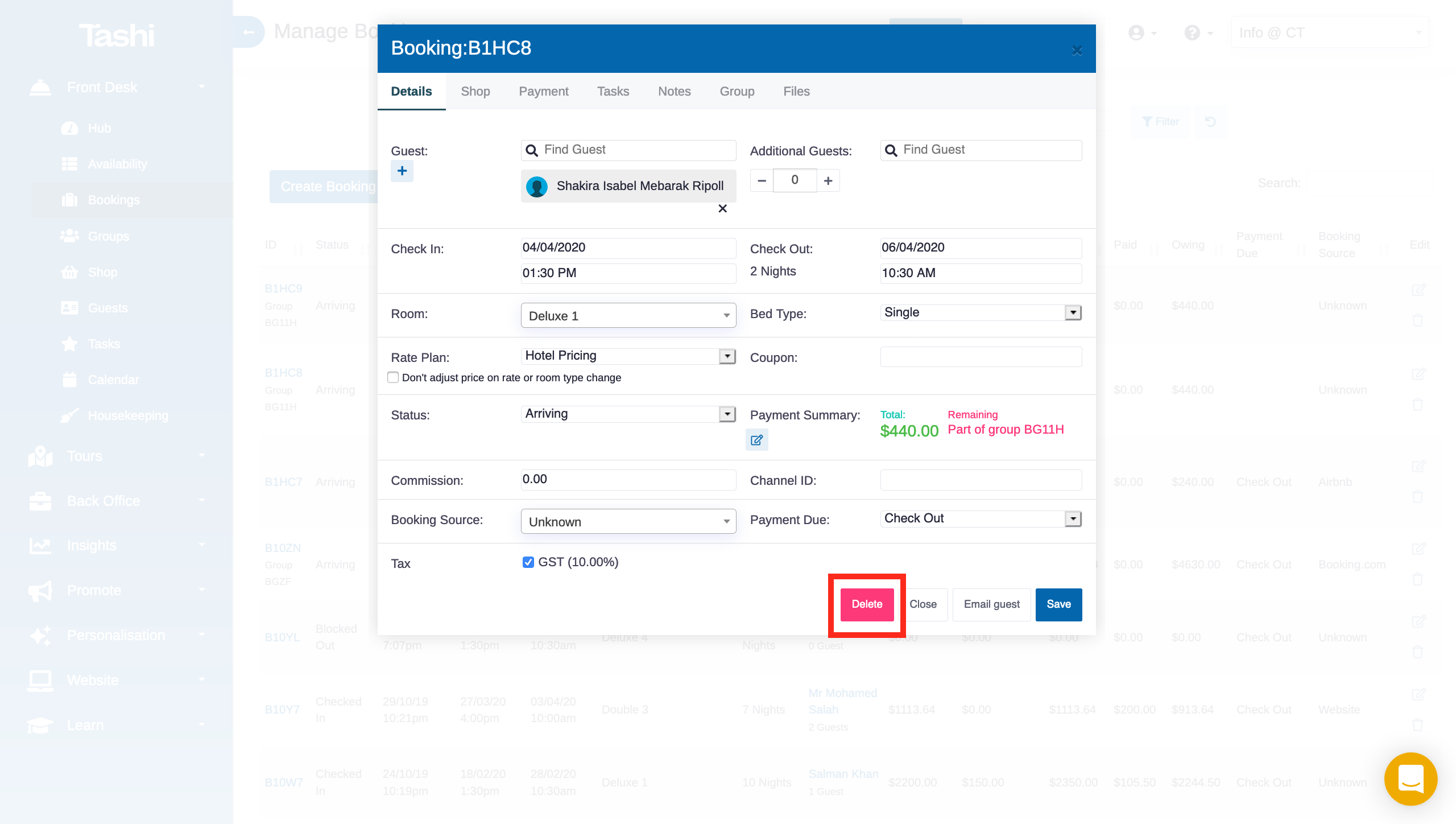
Find and open the Booking via the Quick Search, Availability Calendar or go to the Bookings sub-menu from the Front Desk module.
Click the red 'Delete' button in the bottom of the Booking modal that pops up.
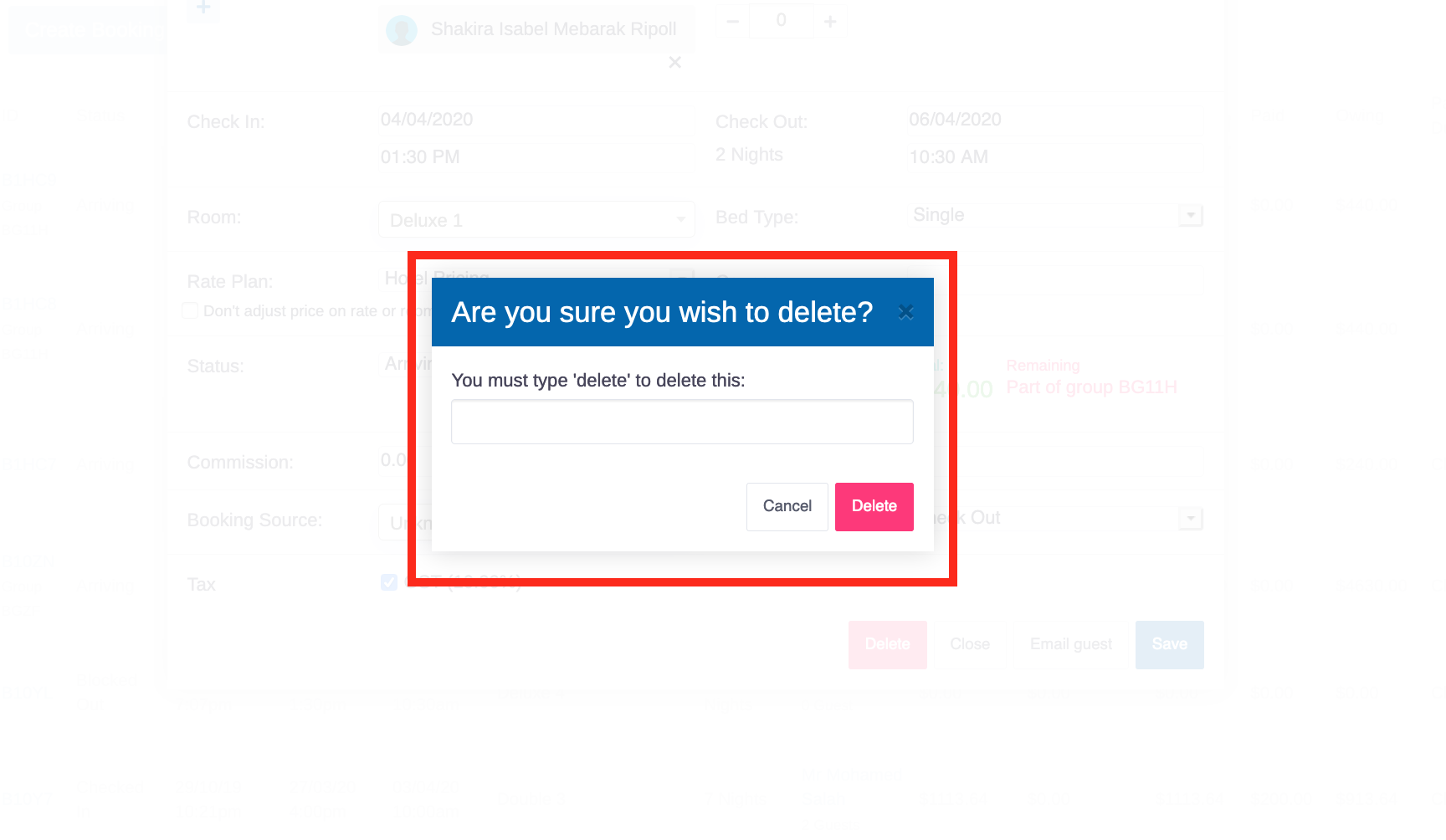
You will then be asked to re-confirm that you want to delete this Booking.
Type 'delete' in the field and click the red 'Delete' button again to delete this Booking permanently.