

With Tashi, you can set up URL redirects to retain any backlinks that you may have on an old platform or URL or to point users to a new version of a prior website page.
Setting up your URL Re-directs
Go to Tools -> Re-router
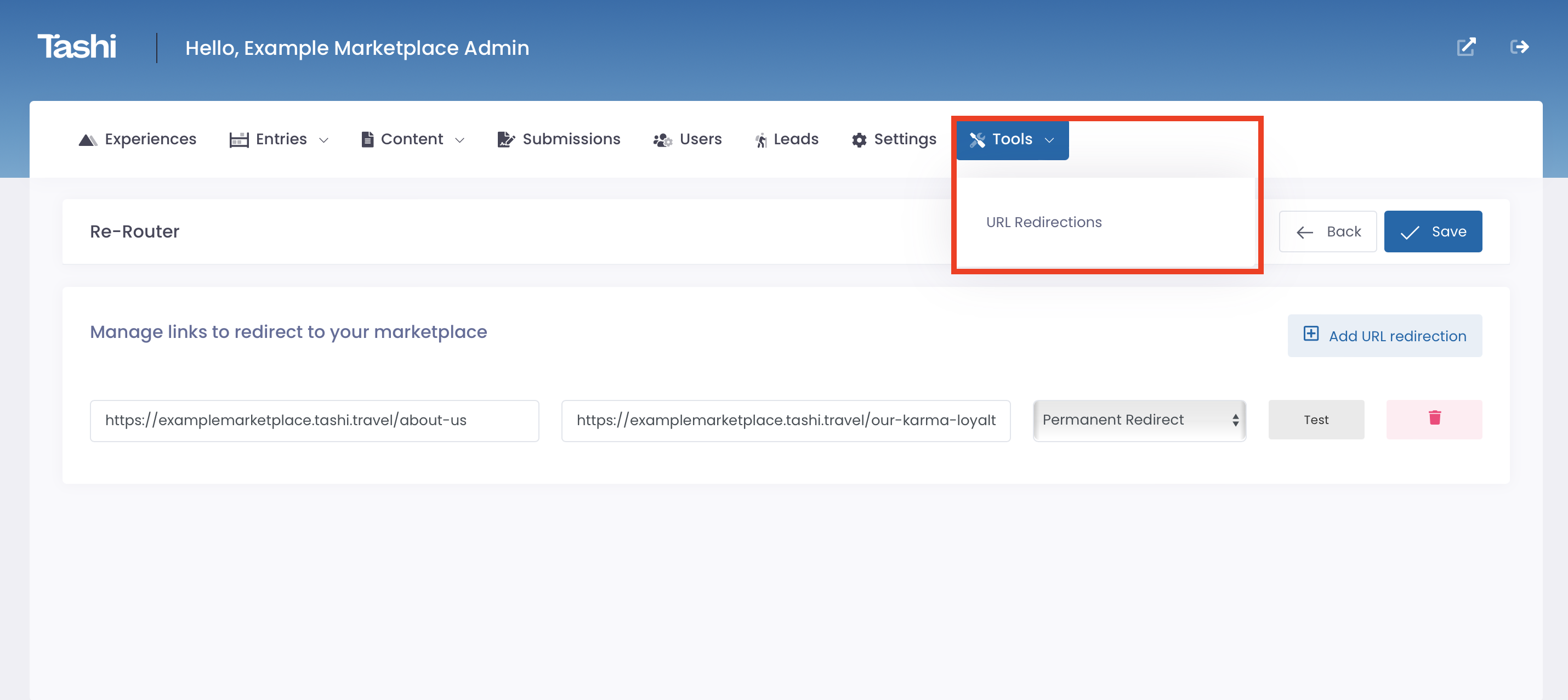
URL Re-direct options
Permanent (301) redirect: This tells search engines and users the page has permanently moved and ensures they are sent to the correct page.
Temporary (302) redirect: this is a temporary change that redirects both users and search engines to the desired new location for a limited amount of time until the redirect is removed.
Requirements
You have the exact prior URL
The prior URL is not active
Pro Tip 💡: If you’ve edited the standard URL for your Property/Experience listing on Tashi, you’ll need to set up a Permanent URL redirect to ensure that the correct listing loads when the new URL is loaded.